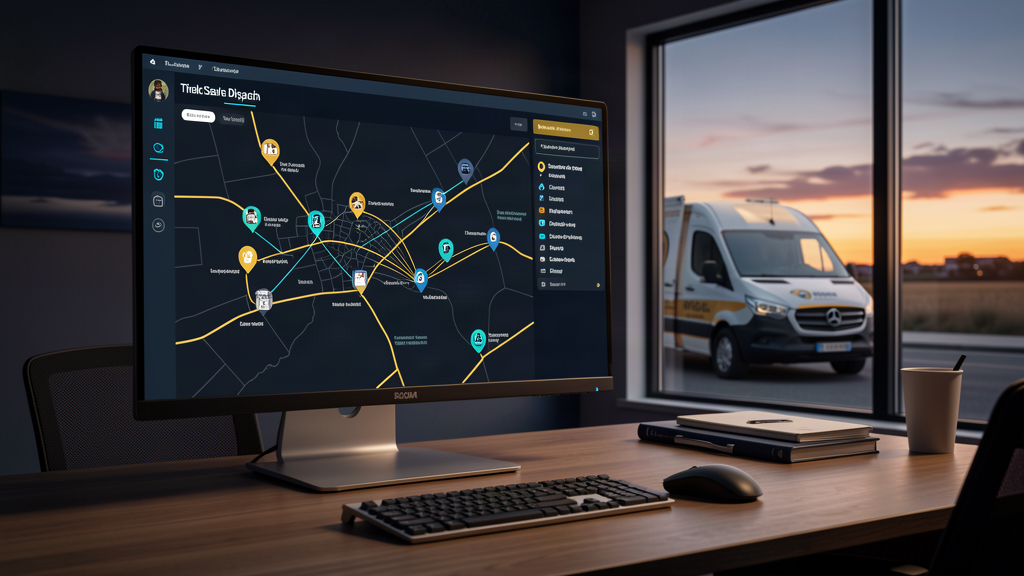
AI dispatch scheduling software assigns field work by ranking open jobs against the technicians available, the skills each job requires, and the arrival window the customer was promised — then re-ranking as the day changes. It does not repair a dispatch problem that starts with a thin job record; it surfaces that problem faster. Automate assignment first, and keep the judgment calls with a dispatcher.
What AI Dispatch Scheduling Software Actually Does
Three steps, in order.
It reads the work. Every open job carries attributes: the skill or certification required, an expected duration, the site's access rules, and whether the parts are already on a truck. The software's first job is to make those attributes machine-readable, because an assignment decision is only as specific as the job it is deciding about.
It ranks the combinations. For each open job, it compares technicians on distance, current commitments, skill match, and the remaining slots in the promised window. That ranking is where the "AI" actually lives: re-running the comparison every time something changes.
It re-ranks when the day moves. A job that runs long, a technician who calls out, an emergency that jumps the queue: each one invalidates the schedule that was printed at 7 a.m. Automatic re-sequencing is the part that removes dispatcher labor, and the part most worth testing before you buy.
The Job Record Is the Real Constraint
A routing engine can only rank what the record describes. If the record says "service call" with no duration and no skill, no model can do better than the dispatcher's memory of who handles those.
Before evaluating any tool, write down the minimum a job must carry to be routed without a phone call: the work to be performed, the skill it needs, how long it takes, who at the site can let the technician in, and whether the needed part is on the vehicle. Then measure your own records against that list. The gap you find is the actual project.
The same discipline applies to any scoring model: it can only act on signals that exist in your data. We made that argument about the signals an AI scorer can actually trust, and dispatch is the same problem with a truck attached.
What to Automate First, and What to Leave to a Dispatcher
Start with work that is well specified and low consequence:
- Assignment of routine, repeatable jobs inside a service territory, where the skill and duration are already known.
- Sequencing within a route, so the day's stops stop being re-derived by hand.
- Arrival-window notification, so the customer hears about a change before they call to ask.
- Schedule repair after a delay, which is also the easiest change to verify before and after.
Keep the judgment calls human: emergencies, anything with a safety or code obligation attached, commitments about price or completion time, and customers whose history needs a person to read it. The goal is not a dispatcher-free operation. It is a dispatcher who spends the day on exceptions instead of on the arithmetic of the schedule.
Field service inherits the coordination tax that shows up wherever a time has to be agreed between two parties — the same back-and-forth we described in the hours lost to "let's find a time". Dispatch automation is that tax, paid once, on every job.
Where Automatic Routing Goes Wrong
Optimizing the wrong number. If the system is tuned to jobs per technician-day, it will find ways to make that number look good. Pick the measure you actually care about — on-time arrival against the promised window, or the first-visit fix rate — and tune to it deliberately.
Data that rots quietly. Skills matrices, site access notes, and parts inventories are current only for as long as someone keeps them current. A routing engine fed stale inputs produces confident, wrong assignments, and those cost you the dispatchers' trust in the tool.
Silent overrides. When a dispatcher overrides the system, the reason for the override is the most valuable data the deployment produces. Make recording that reason one click, or the override teaches nobody anything.
Emergency starvation. If the objective is only the ordinary day, nothing holds a place for the urgent job. Hard-code the escalation path before go-live, in the tool and in policy.
How to Tell Whether It Is Working
Measure five things, and start measuring before the software arrives so you have a baseline:
- On-time arrival against the window the customer was actually promised.
- First-visit fix rate, which catches routing that satisfies the map and strands the part.
- Dispatcher override rate, and the reason mix, which tells you whether the model is learning or being worked around.
- Callback rate within the days that follow a visit.
- Jobs completed per technician-day, read only next to on-time arrival.
Then close the loop from the visit back into the record. A dispatch system is only as good as what it learns from the job it just closed, which is the same reason the note has to land somewhere the next person will read it.
If you want the payback side of that case before you commit, the AI ROI calculator will take your own technician count and job volume rather than a vendor's assumption. And if the harder question is where AI belongs in your operation at all, start with our work deploying AI for multi-site operators before you start shopping for a dispatch product.
Dispatch is a promise about time. The software is worth buying when it keeps more of those promises without a person re-deriving the schedule every hour — and worth walking away from when it only moves the arrangement of the day onto a screen so the dispatcher can approve it. Tell us how your field day is scheduled today and we will tell you which parts of it are ready to automate.
About the author
Carter Dewey
Carter Dewey is CEO & Founder of TrustedNetworx, helping multi-site organizations navigate telecom modernization, POTS replacement, and AI-powered operations — translating complex infrastructure challenges into practical, phased migration roadmaps.