Fixed Wireless vs Fiber vs Cable: A Per-Site Decision Playbook
Most multi-site businesses pick one internet technology and roll it out everywhere. Fiber for the headquarters, fiber for the warehouse, fiber for the two-person sales office in a strip mall. Or cable across the board because it's cheap and "good enough."
That single-decision approach is how you end up overpaying for bandwidth you don't need at small sites — while a critical location limps along on a connection that can't handle the load. The right primary connection is rarely a company-wide answer. It's a per-site answer.
Here's the playbook we use at TrustedNetworx to assign the right primary connection to each location in a portfolio.
The three options, in 30 seconds
Fiber is the performance gold standard: symmetrical speeds, single-digit-millisecond latency, minimal degradation over distance. It's the clear winner wherever it's available at a fair price — but availability is wildly uneven, and build-out can stretch past six months.
Cable is the everywhere workhorse. Downstream speeds are genuinely good (500 Mbps to 1 Gbps), but upload is a fraction of download and the network is shared, so peak-hour performance dips. Fine for light branch offices; risky as the sole connection for anything critical.
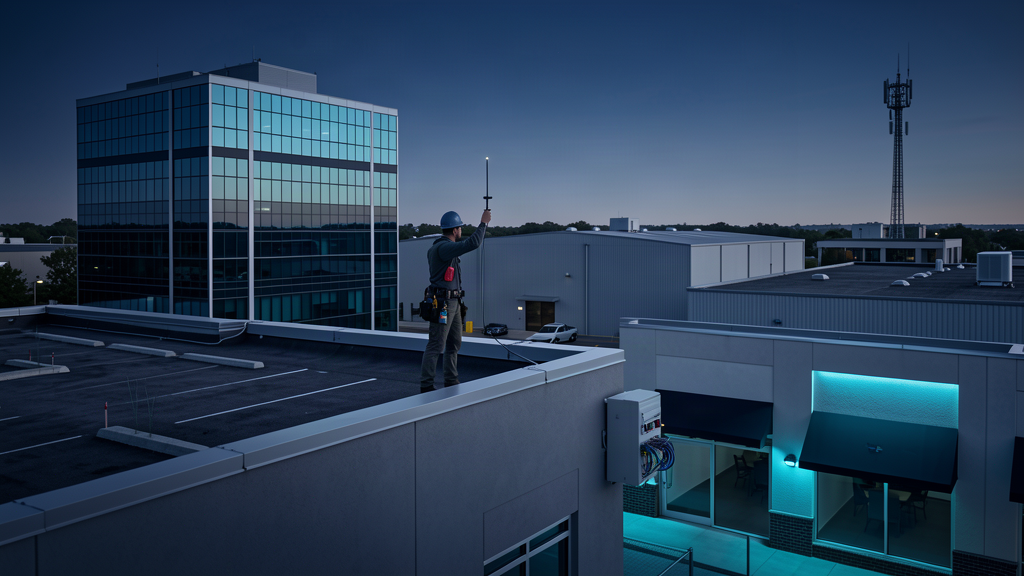
Fixed wireless has matured fast. Installation takes hours instead of months, needs no trenching or permits, and modern links deliver 100 Mbps to 1 Gbps. It depends on line-of-sight and weather, but it's the best fill-in where fiber can't reach and cable is unreliable.
For a deeper technical breakdown of the three, we covered it here. This article is about the framework — how to apply those options across many sites without guessing.
Step 1: Tier your locations
Before you look at a single quote, sort every location into three buckets based on what happens if the connection dies for four hours.
Tier 1 — Critical. Revenue stops, patients or guests are impacted, or a hard compliance requirement depends on connectivity. Main office, flagship store, healthcare facility, call center. These sites get the best available connection, full stop.
Tier 2 — Important but recoverable. Work is disrupted, not halted. Regional offices, mid-size retail, distribution sites. These need solid, reliable connectivity, but a brief outage is survivable.
Tier 3 — Light. A handful of users doing email and web apps. A kiosk, a small sales office, a storage location. These don't need fiber, and paying for it is waste.
Most portfolios shake out to roughly 20% Tier 1, 50% Tier 2, and 30% Tier 3. Your mix will differ — the point is to make the tier explicit instead of letting a spreadsheet treat every site as equal.
Step 2: Score availability before you set requirements
The biggest planning mistake we see is writing requirements around a technology that doesn't exist at the site. A spec that demands fiber at a building where fiber isn't available isn't a plan — it's a wish.
Check what's actually deliverable at each address first, then layer requirements on top. When you know a Tier 1 site can only get cable today, you can plan fixed wireless as a diverse secondary — or budget for a fiber build-out — instead of stalling the project waiting for infrastructure that may never come.
Step 3: Match the tier to the technology
Now the assignment gets simple:
- Tier 1 → fiber where available; fixed wireless (or bonded cable) where it isn't. Never a single, non-diverse cable connection for a critical site.
- Tier 2 → cable is usually right, with fixed wireless as a failover. You get strong downstream speed for the price, and the failover covers cable's peak-hour softness.
- Tier 3 → cable or fixed wireless, whichever is cheaper and faster to install. Stop paying enterprise rates for a site with three laptops.
This isn't rigid. A Tier 3 site in a rural area might need fixed wireless because cable isn't there. A Tier 2 site running heavy VoIP might justify fiber. The tier is your starting point, not a straitjacket.
Step 4: Every critical site gets a diverse second path
A primary connection — no matter how good — is still a single point of failure. Backhoes cut fiber. Storms knock out wireless. Cable nodes get congested.
The strongest setups pair a primary with a secondary that runs on different infrastructure and a different provider. Fiber primary with fixed wireless backup. Cable primary with cellular failover. When the primary drops, a managed router or SD-WAN flips traffic automatically and your users never notice.
Diversity is the difference between "we lost internet for an afternoon" and "what outage?"
Don't trust the sales pitch — verify
One last warning. What a provider's sales rep quotes is not always what the engineering team can deliver. We've seen "fiber available" turn out to be a six-month build-out, and "1 Gbps" turn out to be a best-effort shared connection.
Before you commit a critical site, verify the actual construction timeline, the real upload speed (not just download), and whether the SLA has teeth. If the answer is vague, keep shopping.
Getting every site on the right primary connection isn't glamorous, but it's one of the highest-leverage decisions you'll make for uptime and cost. We run free telecom audits that map what's actually available at each of your locations and match it to a tiered plan. Let's talk.
Carter Dewey
Carter Dewey leads solution architecture at TrustedNetworx, helping multi-site organizations navigate telecom modernization, POTS replacement, and AI-powered operations. With deep experience across property management, senior living, hospitality, and healthcare, Carter translates complex infrastructure challenges into practical, phased migration roadmaps.