AI for Scheduling: Reclaim 5+ Hours Per Week
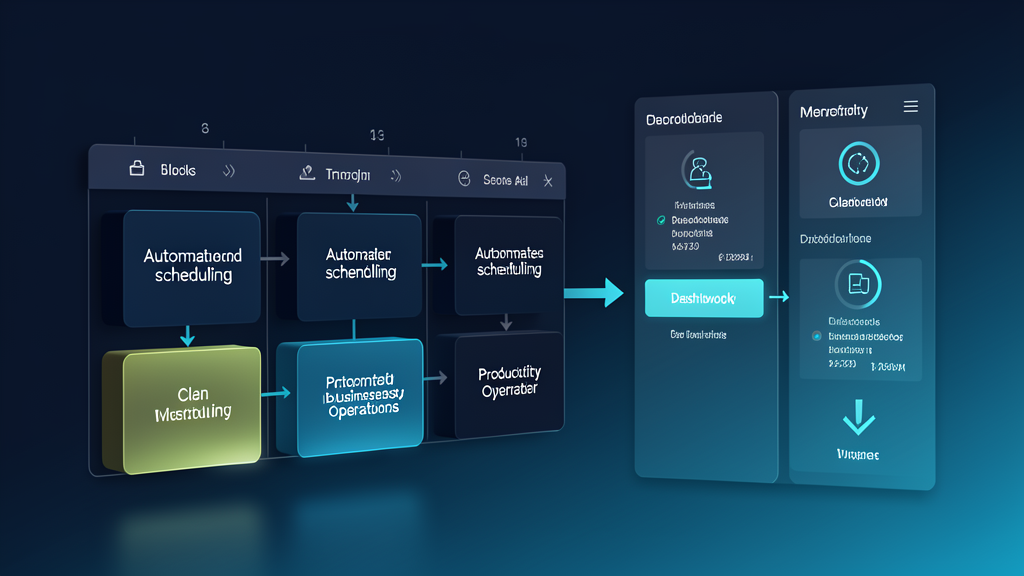
Here's a stat that shouldn't surprise anyone who's spent a Tuesday afternoon coordinating a meeting across three time zones: the average knowledge worker spends 4.6 hours per week just scheduling meetings. That's nearly half a day — every single week — that produces exactly zero revenue, zero progress, and zero customer value.
AI scheduling changes the math completely.
The Real Cost of Manual Scheduling
It's easy to dismiss scheduling as a minor annoyance. But do the arithmetic. Four and a half hours per week times 50 working weeks is 230 hours per year. For a team of ten, that's 2,300 hours — roughly one full-time employee's annual capacity — spent on calendar Tetris.
And it's not just the time. Manual scheduling introduces friction at every step. Availability gaps that drag responses across days. Double-bookings that require apology emails. Reschedules that cascade into three more reschedules. Every link in that chain is a small drain on your professional reputation and your mental bandwidth.
How AI Scheduling Works
The technology has matured considerably. Modern AI scheduling tools don't just show your calendar — they understand it.
Smart availability detection. Instead of sending a link to your availability and hoping the other person picks a slot that still exists by the time they click it, AI scheduling tools check availability in real time, across all participants' calendars, and surface the slots that actually work for everyone. No back-and-forth. No "that slot just got taken."
Context-aware booking. The best tools don't treat every meeting the same. A 30-minute intro call gets different scheduling rules than a two-hour strategy session. Internal team meetings get priority treatment; external vendor calls get narrower windows. AI learns your preferences and applies them consistently.
Automatic preparation. When a meeting is booked, AI can pull relevant documents, past email threads, CRM records, and any preparation notes into a briefing. You walk into the call with context you didn't have to assemble manually.
Buffer enforcement. This one alone pays for the tool. AI scheduling tools can enforce buffer time before and after meetings, block focus blocks that can't be overridden, and prevent the soul-crushing six-hours-of-back-to-back-30-minute-calls that leaves you cognitively fried by 2 PM.
What to Look For
Not every scheduling tool is worth adopting. Here's what separates the real solutions from the calendar plugins:
Cross-platform sync. If it only works with Google Calendar and your enterprise runs on Outlook, it's useless. The tool needs bidirectional, real-time sync across whatever your team actually uses.
Collective scheduling, not just 1:1. The real time savings come from multi-party scheduling — finding the one 45-minute window next week where five people across three departments are all free. Tools that only handle 1:1 booking solve maybe 20% of the problem.
CRM integration. When a prospect books a call, the AI should create or update their CRM record, log the meeting, and attach any relevant context. If you're manually entering meeting notes into your CRM after the call, your scheduling tool isn't pulling its weight.
Meeting analytics. After a month, you should be able to see: how much time is spent in internal vs. external meetings, which recurring meetings have declining attendance, where your calendar has become unmanageable. Data drives better decisions.
Getting Started
The implementation path is about as straightforward as it gets for AI adoption:
Week 1: Pick one tool. Connect your calendar. Set your availability rules and buffer preferences. Share your booking link with five people and see how it works.
Week 2: Expand to your immediate team. Get feedback. Adjust your rules based on what actually happened — not what you assumed would happen.
Week 3: Connect CRM and document systems. Add meeting preparation briefs. Turn on analytics.
By the end of the first month, most professionals recover 3–5 hours weekly. For a CRO, that's three extra hours of pipeline review, deal strategy, and customer conversations. For a director of operations, it's five hours of actual process improvement instead of calendar maintenance.
The Bottom Line
AI scheduling won't change your business model. It won't close deals for you or fix your product. What it will do is return nearly a full workday per week to your calendar — time you can reinvest in the work that actually requires your brain.
For leaders running lean teams, that kind of efficiency isn't optional. It's the difference between hitting your numbers and burning out trying.
Want to see how AI can reclaim hours for your team? Schedule a consultation — we'll show you what AI scheduling looks like in your actual workflow, not a demo environment.
Carter Dewey
Carter Dewey leads solution architecture at TrustedNetworx, helping multi-site organizations navigate telecom modernization, POTS replacement, and AI-powered operations. With deep experience across property management, senior living, hospitality, and healthcare, Carter translates complex infrastructure challenges into practical, phased migration roadmaps.